
How do I prepare a TM-A application?
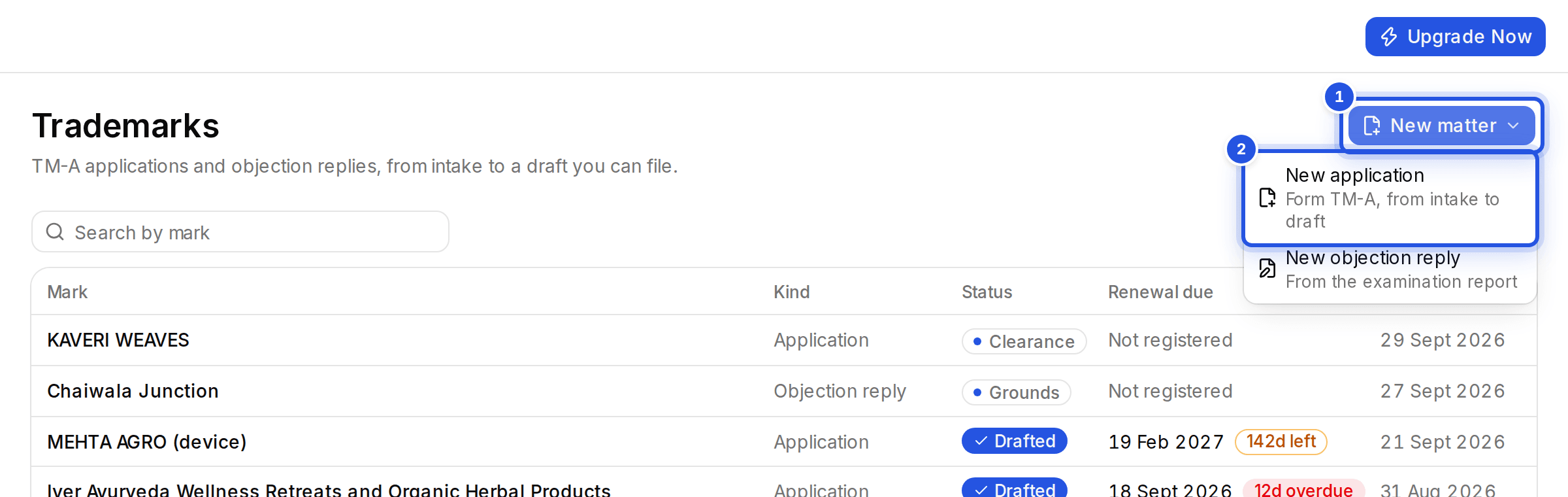
In Trademarks, choose New matter, then New application. Work through Intake, Specification, Clearance and Draft; the Form TM-A draft opens in the editor.
Updated 29 Sept 2026
Steps
- Step 1: Open Trademarks, choose New matter and then New application.
- Step 2: Intake: fill in the applicant, the mark, its Nice classes, use and priority, and the agent if there is one. Choose Save & continue.
- Step 3: Specification: choose Generate for a Registry-style specification per class, and edit any line.
- Step 4: Clearance: see the next article.
- Step 5: Draft: choose Generate TM-A draft, then Open in editor or Download .docx.
Review the draft in the editor before filing.
Was this helpful?
Still stuck? Write to support and we will get back to you. Contact support