
How do I resolve a mismatch?
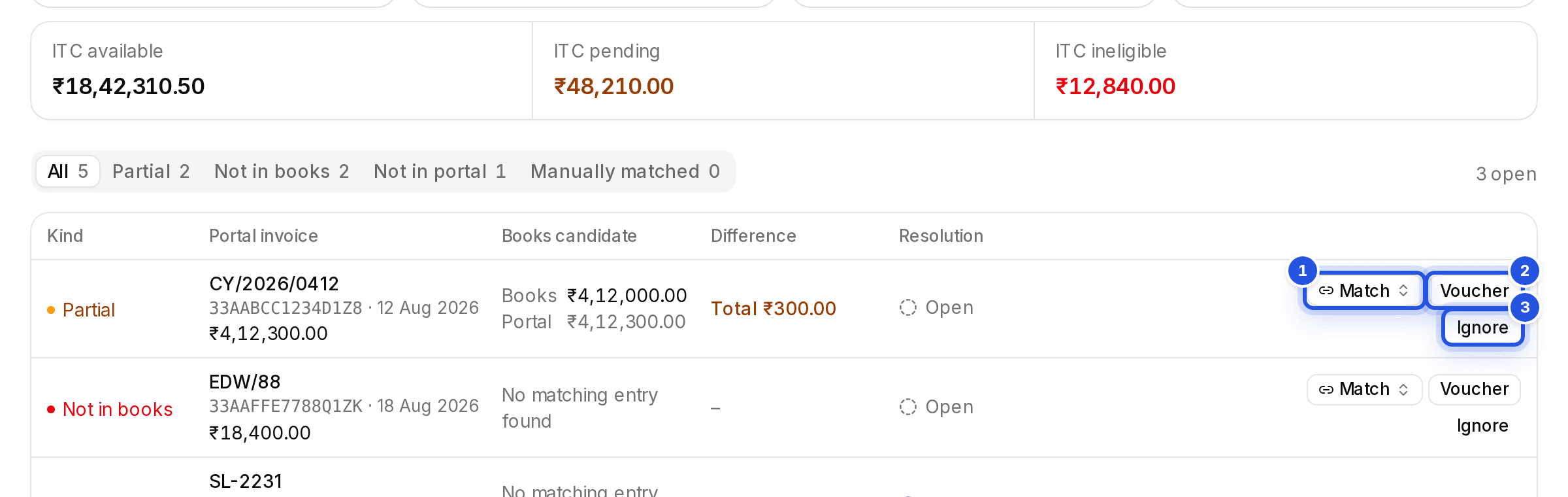
For each mismatch, match it to a books row, create a draft purchase voucher from the portal row, or ignore it with a note.
Updated 29 Sept 2026
Your choices
- Match: search the books rows and pick the entry it belongs to.
- Voucher: opens Create voucher from portal row and posts a draft purchase voucher from the portal row. Pick the Ledger to debit; the credit goes to the client's bank or cash ledger.
- Ignore: opens Ignore mismatch, where you record why it needs no entry. The note is visible to the next reviewer.
- Ignore all in this filter: marks every open row that matches the reason, GSTIN and document number filters as ignored, across all pages.
When everything is resolved the run reads Everything here is resolved.
Was this helpful?
Still stuck? Write to support and we will get back to you. Contact support