
How do I change a draft with an instruction?
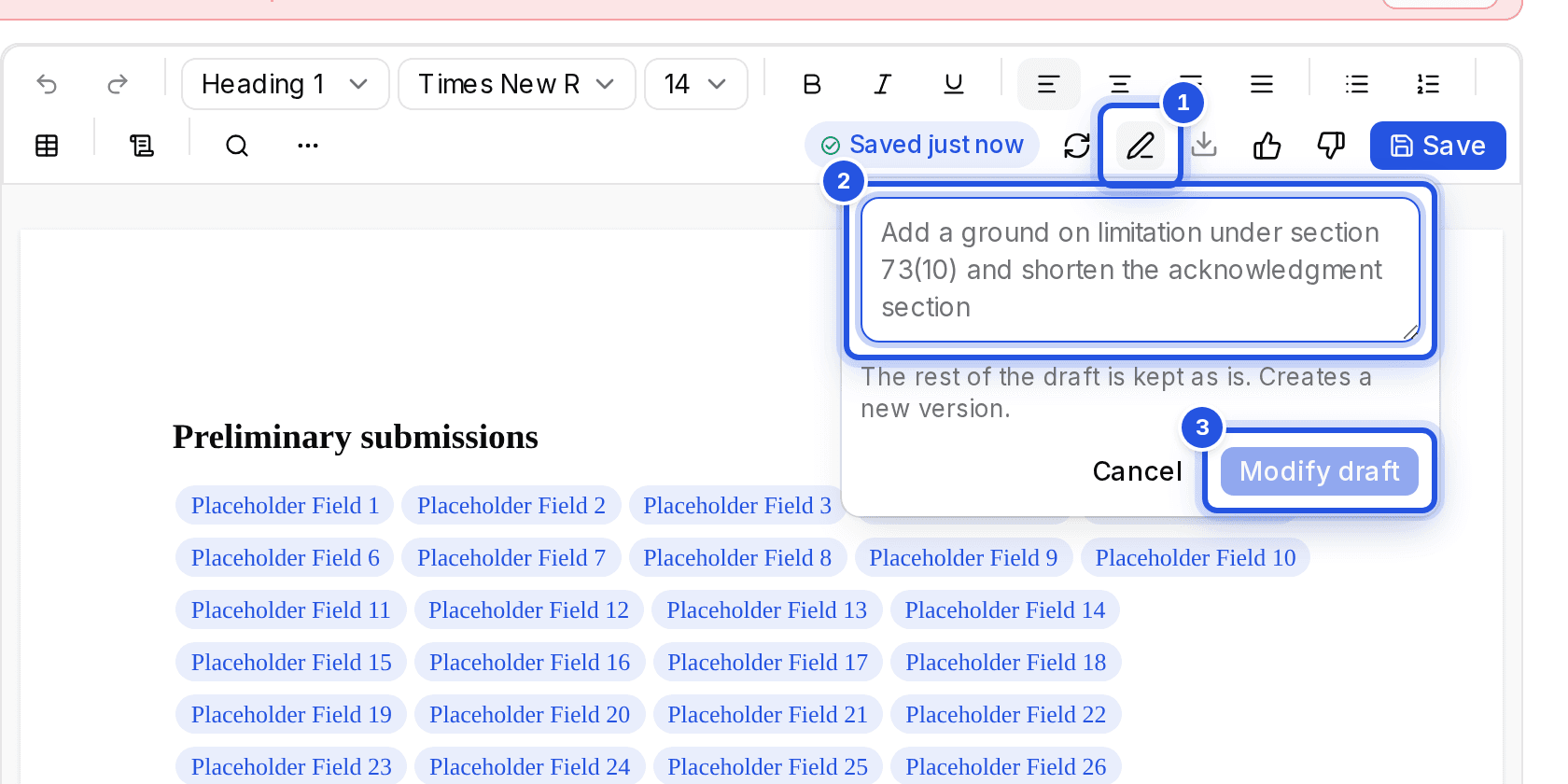
Choose Modify draft in the editor toolbar, say what should change and choose Modify draft again to apply it. The rest of the draft is kept as it is and a new version is saved.
Updated 29 Sept 2026
Modify the whole draft
- Step 1: Choose Modify draft (the button with the pen icon) in the toolbar.
- Step 2: In What should change?, write the change, for example adding a ground on limitation.
- Step 3: Choose Modify draft. A new version is created and the change log records it.
Versions
Every save and every change creates a version. Open an older one to read it, then choose Restore as new version to bring it back, or Back to current.
Improve a Word draft you already have
In Drafting, choose Type the facts of the matter, then Import from Word (.docx). Files can be up to 10 MB. Tell us how to alter it, or choose Open without changes.
Was this helpful?
Still stuck? Write to support and we will get back to you. Contact support