
How do I import a bank statement?
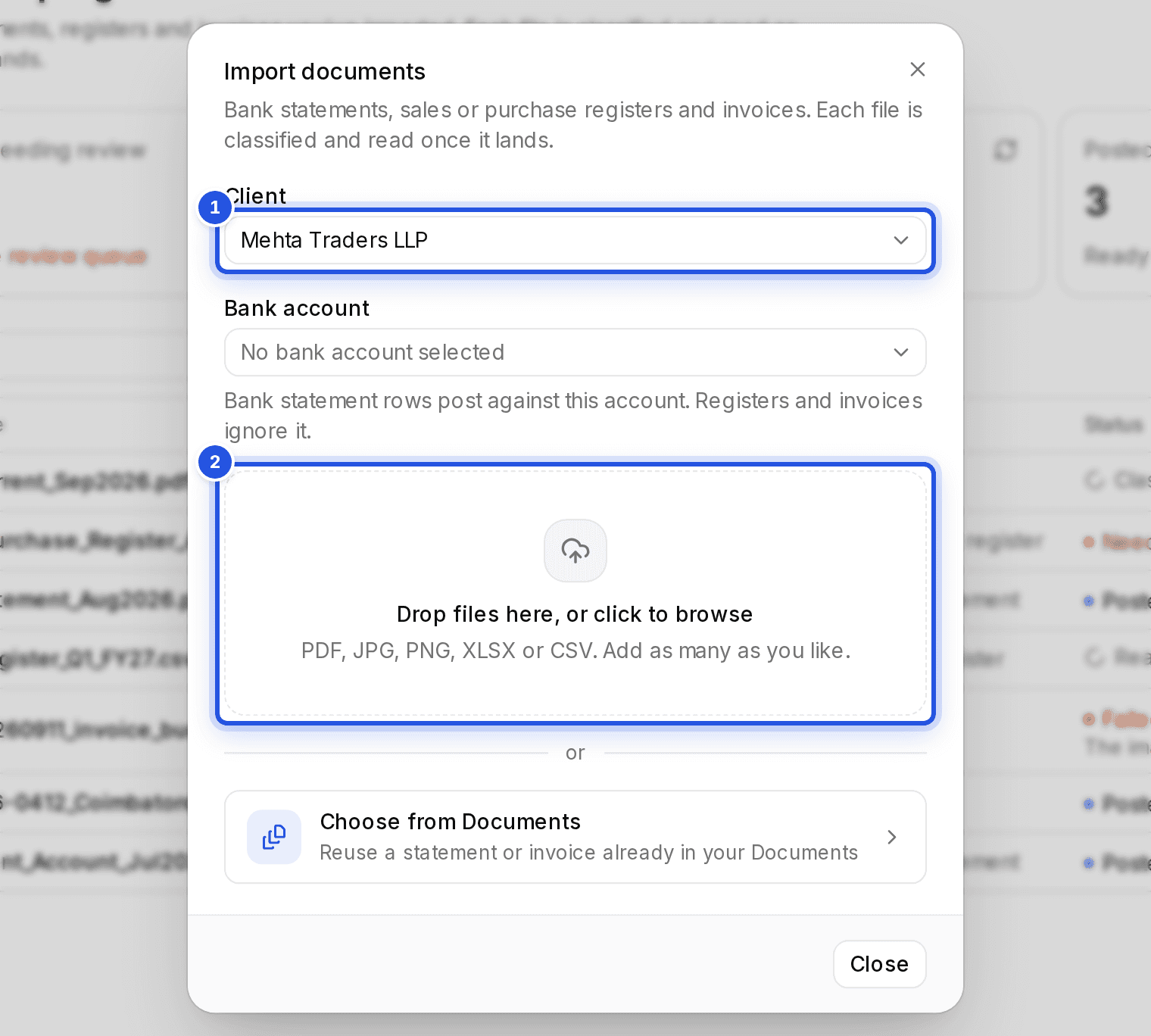
In Bookkeeping, choose Import documents, pick the client and the bank account the statement belongs to, then drop the file in. Each file is classified and read once it lands.
Updated 29 Sept 2026
Steps
- Step 1: Open Bookkeeping and choose Import documents.
- Step 2: Pick the Client.
- Step 3: Pick the Bank account the rows should post against. No account yet? Choose Create bank or cash account, name it as it appears in the books and choose Create account.
- Step 4: Drop the statement into Drop files here, or click to browse. PDF, JPG, PNG, XLSX or CSV all work.
- Step 5: Choose Import this file, or Import with the count when you add several.
The import shows under Being read while rows are pulled out and ledgers are matched, then moves to Imports needing review or Posted.
Was this helpful?
Still stuck? Write to support and we will get back to you. Contact support