
How do I export to Tally?
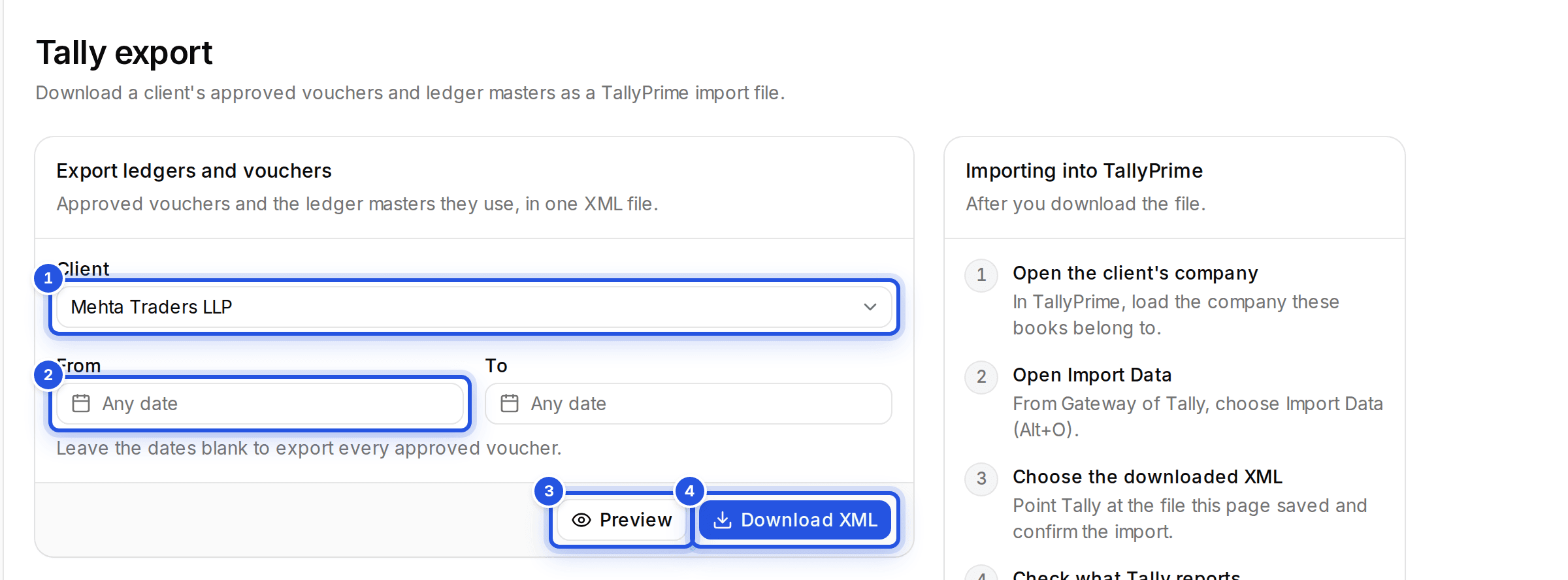
Open Tally export, choose the client, set a date range if you want one, check the Preview and choose Download XML.
Updated 29 Sept 2026
Steps
- Step 1: Open Tally export from the sidebar.
- Step 2: Pick the Client.
- Step 3: Set a date range to export only vouchers dated in it, or leave the dates blank to export every approved voucher.
- Step 4: Choose Preview to see how many vouchers and ledgers go into the file.
- Step 5: Choose Download XML.
Anything under Left out of the file is listed with the reason, so you can fix it and export again.
Was this helpful?
Still stuck? Write to support and we will get back to you. Contact support