
Can I research from inside a draft?
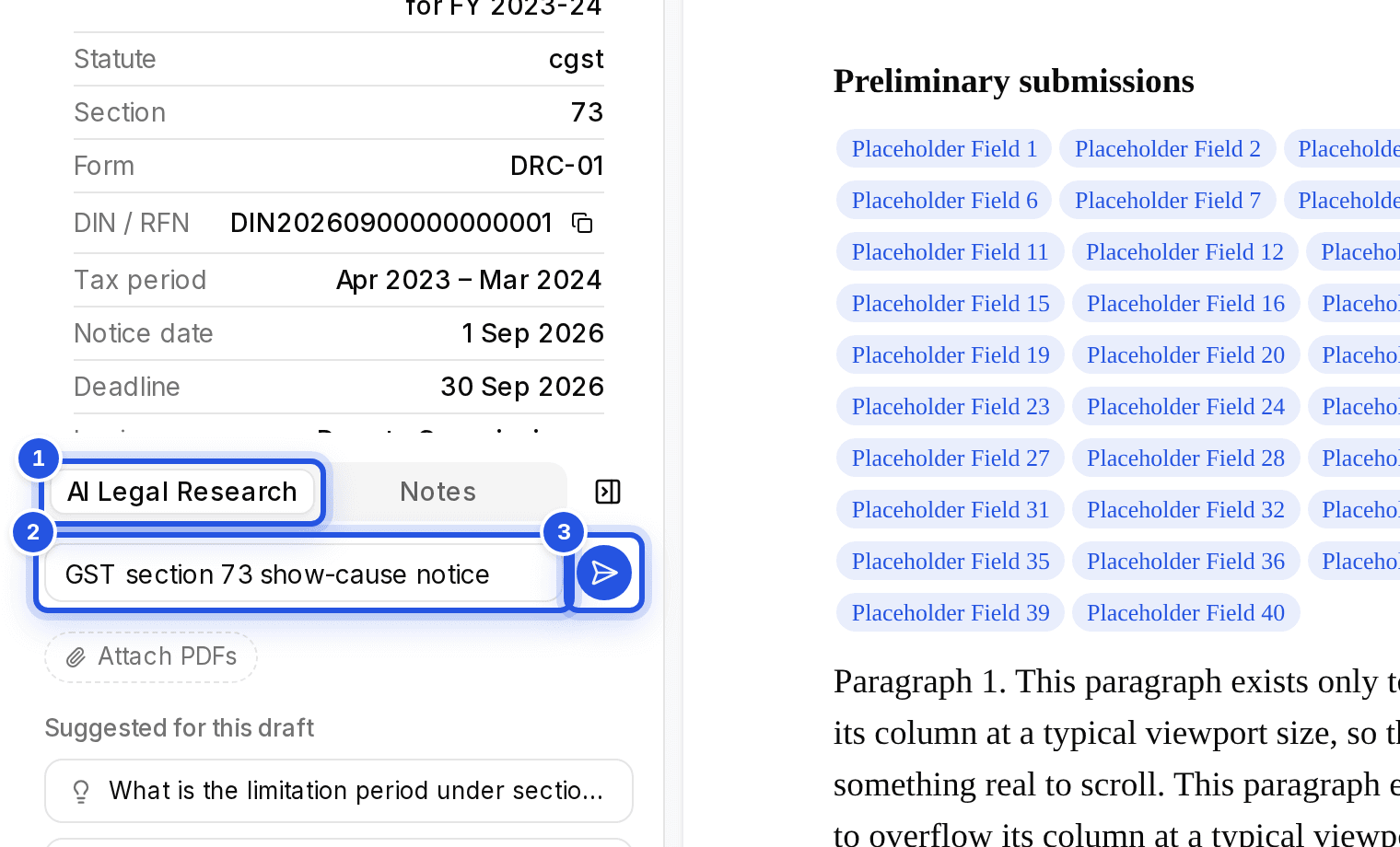
Yes. The AI Legal Research tab on the right of the editor takes a question, suggests research for the draft and lists the sources the draft already uses.
Updated 29 Sept 2026
Steps
- Step 1: Open the draft. If the right pane is closed, choose Show AI Legal Research and Notes.
- Step 2: Open the AI Legal Research tab.
- Step 3: Type in Ask any question… and choose Search case law, or start from Suggested for this draft.
Sources in this draft lists every source the draft already cites, grouped by case law and circulars and notifications.
Was this helpful?
Still stuck? Write to support and we will get back to you. Contact support