
GSTR 2B Reconciliation in Tally Prime: A Practical Guide
Run GSTR 2B reconciliation in Tally Prime step by step: export, match, resolve mismatches and post corrections before you file GSTR-3B.
Published 14 min read
The 18th is close, GSTR-3B is two days out, and someone on the team reports that the GSTR 2B reconciliation in Tally Prime is 96% matched. The partner signs off on that number. Three weeks later, one large supplier invoice turns out to have been claimed twice, and the 96% explains nothing about how it happened.
That percentage is the problem. A match rate tells you how much of your register the software could pair with the portal file. It says nothing about whether each unpaired or partly paired line was classified, evidenced and decided. An invoice that pairs neatly on GSTIN and number but relates to a blocked credit is still 100% matched and 100% ineligible.
GSTR-2B is an auto-drafted, invoice-level statement that the GST system builds from suppliers' GSTR-1 or Invoice Furnishing Facility filings, non-resident taxpayers' GSTR-5 and input service distributors' GSTR-6, and it marks each document for ITC available or unavailable, as the GSTR-2B advisory published on the GST portal sets out. The portal does the pairing. Your side of the job is the judgement.
The work runs in a fixed order: files, match, categories, exceptions, decisions, posting. Skip a step and the reconciliation becomes a formality that protects nothing.
Table of Contents
- Files and Timing You Need Before Matching
- Three inputs to check before the first match
- How to Run the Match in TallyPrime Step by Step
- Match Categories and What Each One Means
- The three categories that cause real losses
- Not Relevant Entries and Effective Dates
- Which Mismatches to Claim, Defer or Reverse
- Clerical or substantive, and what to keep
- Post Approved Corrections and Export Before GSTR-3B
Files and Timing You Need Before Matching
The first reconciliation almost always looks broken, and the cause is a date rather than a data error. A purchase booked on 28 July cannot be checked against the July statement, because the July GSTR-2B is generated only after your suppliers finish filing. The GSTN guidance on GSTR-2B generation and availability sets the rule plainly: for monthly recipients the statement is generated on the 14th day of the succeeding month, after the supplier-side filing window closes around the 13th, and it becomes available on the afternoon of the 14th. A document a supplier files late lands in a later statement, not in the month of the invoice.
That statement is static for a tax period. Nothing rolls forward and nothing refreshes when a vendor files a fortnight late. This design choice is why "not appearing in 2B" describes timing as often as it describes a supplier's negligence, and why the same official guidance tells taxpayers to recompute the statement after invoice-management actions and before filing GSTR-3B.
Three inputs to check before the first match
| Source | Format | Fields to match | Check before using |
|---|---|---|---|
| GSTR-2B from the GST portal | Excel or JSON download | GSTIN, invoice number, invoice date, taxable value, IGST, CGST, SGST | Save an untouched copy as the audit file |
| Purchase register from TallyPrime | Excel export | Same fields plus ledger name and voucher number | Export the same period with GST details shown |
| Supplier master from TallyPrime | Party ledger list | GSTIN and legal name | Fill missing GSTINs before matching |
Treat the portal download as the audit copy. Save the original in the client's working folder before any cleaning, because a reviewer who asks for the source file needs the version that came from the portal, not the one your macro rewrote.
Three checks catch most early failures. The period is identical in both files. Every party carries a GSTIN, since a blank GSTIN blocks the first match key. And every B2B row that appears on the portal is present in your export, which means the export filter wasn't set to a single ledger or a partial date range.
How to Run the Match in TallyPrime Step by Step
TallyPrime keeps the reconciliation at Alt+G > GSTR-2B Reconciliation, and you can pull the file in directly with Alt+Z > Download GST Returns or import a saved JSON or Excel download with Alt+O > GST Returns. The GSTN manual for GSTR-2B reconciliation frames the exercise as a document-level match against the recipient's books, which is the correct frame. You're pairing invoices, not comparing totals.
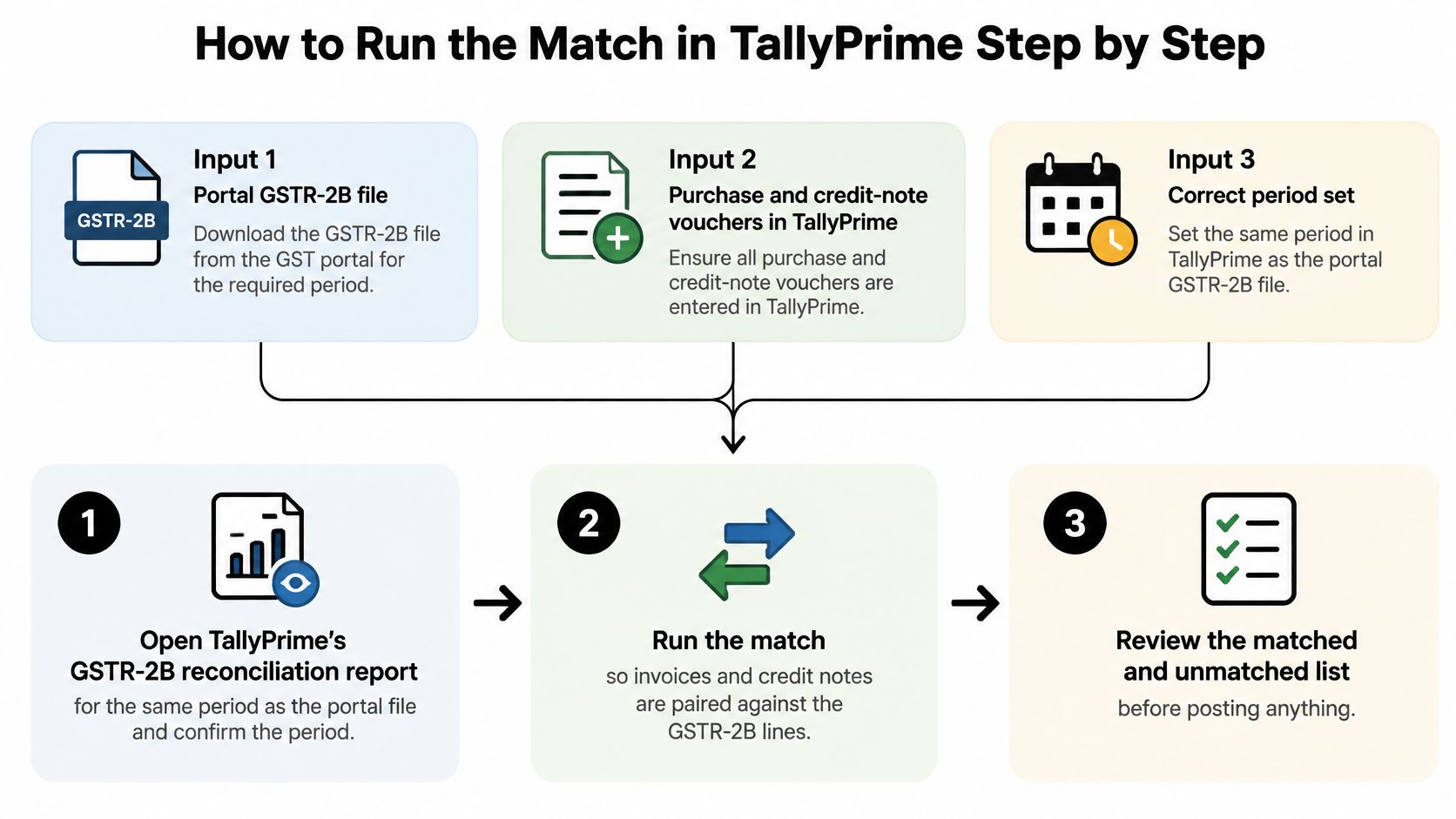
- Set the return period first. Open the report on the same period as the portal file. If the periods disagree, every downstream result is false and the exception list looks catastrophic for no reason.
- Normalise on copies. Bring GSTIN, invoice number, invoice date, taxable value and the three tax heads into one format on both sides. Keep the portal original beside the working copy.
- Strip formatting noise, carefully. Spaces, slashes, leading zeros and invoice-number case all break the key. The slip is over-cleaning: a rule that trims digits can merge MC/233 and MC/2333 into one line. Compare each cleaned value with the portal line before accepting a match, and use TallyPrime's potential-match buckets, which show what matched on amount but failed on section, GSTIN or document number.
- Match on GSTIN plus normalised invoice number, then validate. The key is stable; date and tax amounts are confirmations. Matching on amount alone produces confident nonsense.
- Classify every line, not only the unmatched ones. Volume is the argument for doing this on rules rather than eyeballs: India's e-way bill volume rose 21% year over year during April to December 2025, according to the Economic Survey 2025-26 as reported by IMPRIA India, and a register of a few thousand lines cannot be read line by line.
- Stop before posting. Send the exception list to the reviewer with the source file attached, and post nothing until the decisions come back. Keep the source 2B file, the Tally export and the exception report together as the match record.
Practical rule: if cleaning would merge two lines into one, the cleaning is wrong. Widen the match, never the invoice.
Match Categories and What Each One Means
Every line in the exception report belongs in exactly one of these boxes, and each box has one action.
| Category | What it means | What to do |
|---|---|---|
| Exact match | GSTIN, invoice number, date and tax all agree | Accept after normal review |
| Value mismatch | Invoice found but taxable value or tax differs | Check with the supplier, then amend or defer |
| Missing in books | Invoice in 2B, not recorded in Tally | Record if it is a genuine purchase; otherwise reject in IMS |
| Missing in 2B | Booked in Tally, not in 2B | Check supplier filing; it may appear in a later 2B |
| Duplicate | Same invoice appears more than once | Do not claim twice; reverse the extra entry |
| Credit or debit note | Adjustment linked to an original invoice | Match to the original invoice before claiming |
| Reverse-charge | Tax payable on the recipient side | Pay the tax; claim ITC only as the rules permit |
| Ineligible ITC | Credit blocked under GST rules | Reverse it or do not claim it |
Read the table as a set of decisions rather than labels. Track two ratios, not one: the share of invoices matched and the share of tax value matched. A register can show a healthy count rate while three high-value mismatches remove a large slice of ITC, and the count rate will never tell you.
The three categories that cause real losses
Duplicates are the most expensive and the least visible. A credit note booked as an invoice, or the same bill entered from two godowns, matches perfectly on every field. Count records per invoice number before you accept a match; two lines on one number is a duplicate until proven otherwise.
Credit and debit notes need their original invoice identified first. A note that matches on its own reference but has no traceable parent is an adjustment you can't defend.
Reverse charge is the one that catches people who trust the match rate completely. The invoice pairs cleanly, the credit is taken, and the tax payable by the recipient goes unpaid. GSTN requires payment of reverse-charge tax regardless of how tidy the match looks.
Sort the exception list by tax value, largest first, and the reviewer handles material items while they're still fresh. Tag each exception with one category and one owner before it leaves the desk. The matching itself is deterministic: Charter AI's GSTR-2A and 2B reconciliation runs on rules rather than AI, so the same returns always produce the same result and a rerun can be defended in a review.
Not Relevant Entries and Effective Dates
The line that starts the most arguments in a review is the one marked Not relevant. The instinct is to exclude it and move on, which is exactly the wrong reflex. Tally's own GST documentation confirms that certain import transactions, including IMPGSEZ and IMPG purchases, are handled differently, and that vouchers recorded before the applicable date can appear under Not relevant. It also makes the point most guides skip: a portal-only voucher linked to your books cannot be excluded, and may need to be unlinked instead.
Exclusion changes a status. It doesn't fix the underlying record. ITC eligibility turns on the conditions in section 16 of the CGST Act, 2017, and a classification you can't explain from the file is a classification you'll be defending from memory.
Four cases cover most of what you'll meet.
- A prior-period invoice booked late. Test whether the effective date matches the period the supplier filed for. If it doesn't, set the GST return effective date on the voucher (Alt+L) so the transaction sits in the supplier's period, then recompute the statement before GSTR-3B. Keep the recomputed file and a note of what changed and why.
- An import credit sitting as not relevant. Test the import category first. IMPGSEZ and IMPG are treated differently from a domestic purchase, so confirm which one you're holding before touching the effective date or the voucher.
- An amended document. Test whether both the original and the amendment exist in your books. Keep them linked so the trail shows the original, the amendment and the net credit. An amendment filed loose looks like a duplicate to the next reviewer.
- A wrongly linked voucher. Test whether the portal line is yours. If a supplier quoted your GSTIN by mistake, unlink it rather than excluding it, because the link is what makes simple exclusion unsafe.
A 99% match rate with a dozen unreviewed Not relevant entries is a weaker file than 92% with every exception decided.
A clean percentage can sit on top of all four problems without moving a decimal point. Nothing in the automation flags them for you.
Which Mismatches to Claim, Defer or Reverse
The judgement that matters is the difference between a clerical mismatch and a substantive eligibility risk. A slash in an invoice number, a leading zero, or a date that falls inside the same period is clerical. A changed taxable value, a different GSTIN, a duplicate, or a supplier who hasn't filed is substantive, and normalising harder won't make it go away.
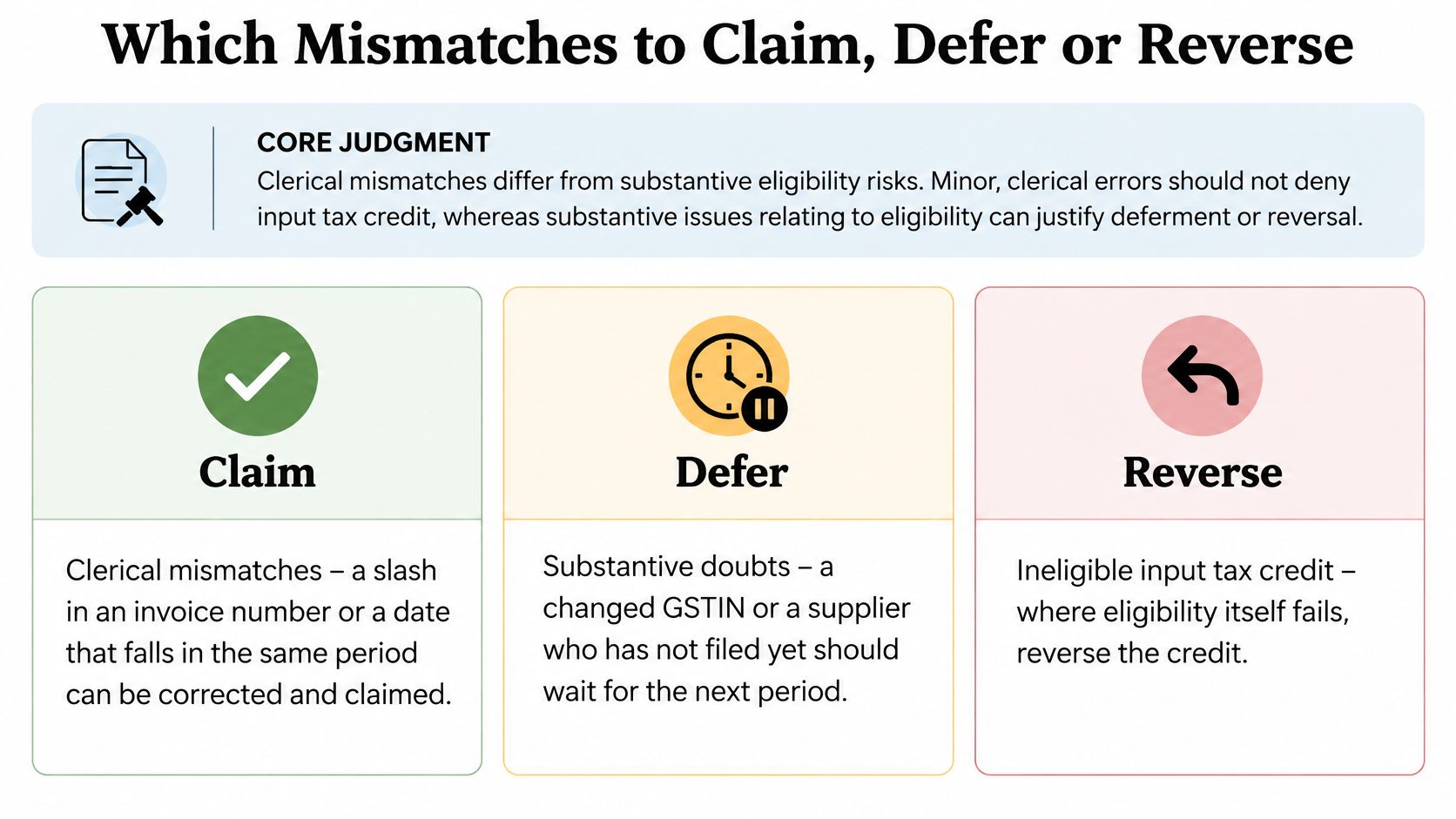
Independent coverage of this workflow splits exceptions into four practical buckets, matched, value-mismatched, books-only and portal-only, and notes that unmatched credits may need supplier correction or an accept, reject or pending decision in the invoice management system before GSTR-3B is filed, as KSMG's explainer on GSTR-2B, IMS and Table 4 describes. That's the right shape. What decides the outcome is the evidence behind each bucket.
Clerical or substantive, and what to keep
| Mismatch type | Usually clerical? | Action before GSTR-3B | Evidence to keep |
|---|---|---|---|
| Invoice number format only (slash, spaces, leading zeros) | Yes | Normalise in Tally and confirm the same invoice | Original invoice and portal snapshot |
| Date difference within the same period | Often | Confirm with the supplier and record the date | Supplier email or confirmation |
| Taxable value difference | No | Ask the supplier to amend, otherwise reverse or defer the ITC | Supplier communication and revised invoice |
| Partly eligible credit | Possibly | Claim the eligible portion only and reverse the rest | Split calculation and reviewer note |
| Duplicate or ineligible ITC | No | Reverse it, never claim it | Reviewer sign-off |
For every claim, build a small evidence file: the original invoice, the portal snapshot taken before any cleaning, the supplier communication with dates, and the IMS decision recorded as accept, reject or pending. Those decisions feed the working papers and then Table 4 of GSTR-3B. Where reported ITC runs ahead of what 2B shows, the department's intimation mechanism under Rule 88D and Form DRC-01C is where the gap surfaces, and a file with four pieces of evidence per line answers it far faster than one with a match percentage.
The contrarian point deserves saying plainly. Pushing the auto-match rate up by normalising invoice numbers or dates can bury supplier-reporting failures and eligibility problems inside a number that looks like success. The target is compliant ITC, not a higher percentage.
Post Approved Corrections and Export Before GSTR-3B
Posting is the last step, not the first. Only the adjustments the reviewer has approved go into TallyPrime, never the whole exception list, and each posting should be traceable to the statement line it corrects.
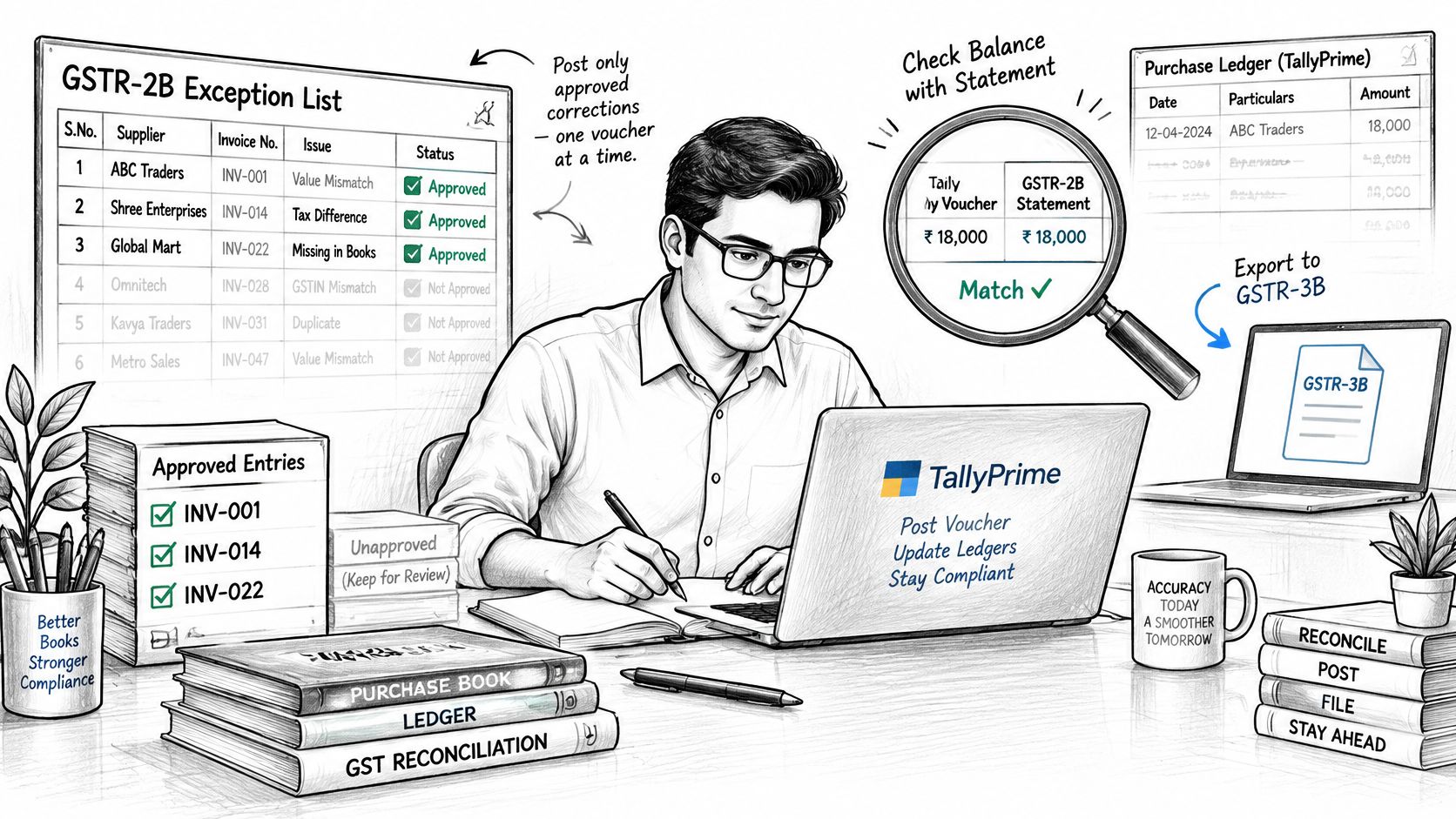
Check voucher balances before you save, and confirm that the entry references the same invoice number, date and supplier GSTIN as the portal line. A corrected voucher that clears the exception but carries a different amount is worse than the exception, because it closes the question without answering it.
Then rerun. Export the approved vouchers, match again against the same 2B file, and confirm two things: closed exceptions have disappeared, and posting created no new ones. A reversal posted in the wrong period usually shows up here as a fresh mismatch in the adjacent month.
If you want to see the posting and matching flow demonstrated before you build your own checklist, this walk-through is worth twenty minutes.
Record the reviewer's name, the date and the decision applied, and file the source 2B, the Tally export and the exception report together for the month. Next month's reconciliation starts from that file, so a clean handover saves the first hour of the next cycle.
The reconciled figures, with accepted, rejected and pending IMS decisions attached, become the basis for Table 4 of GSTR-3B, which has to be ready before the GSTR-3B monthly due date rather than rebuilt on the evening of filing. A reconciliation is only as strong as the decisions and the evidence sitting behind it, and that is the part no match rate will ever show you.
Charter AI reconciles GSTR-2B against your purchase register, classifies each line as matched, missing in books, missing in 2B or an amount mismatch, and sends approved entries straight to TallyPrime, so the exceptions you've decided on reach the books without retyping. Bookkeeping, GST reconciliation and Tally export are unlimited on every plan, which matters when a client's register runs to thousands of lines a month. If your current process ends at a match percentage, Charter AI is worth a look before the next filing cycle.